
A banner's size should follow its display space and viewing conditions. Making artwork larger does not automatically make a crowded message easier to read.
Quick answer: measure the location, simplify the message for distance, protect finishing areas, and inspect a scaled proof before approval.
On this page
- Measure the display area
- Design the message for distance
- Leave space for finishing
- Check a scaled proof
- FAQs
Measure the display area
Record the usable width and height of the location. Note attachment points and any obstructions.
Decide whether the banner will be viewed straight on, at an angle, or while people move past it. Those conditions affect how much information is practical.
Check the currently available options for custom vinyl banners. Confirm finishing and hardware separately from the printed dimensions.
A banner that physically fits can still be difficult to install if the attachment plan was left until delivery.
Design the message for distance
Identify one main message and the minimum supporting information.
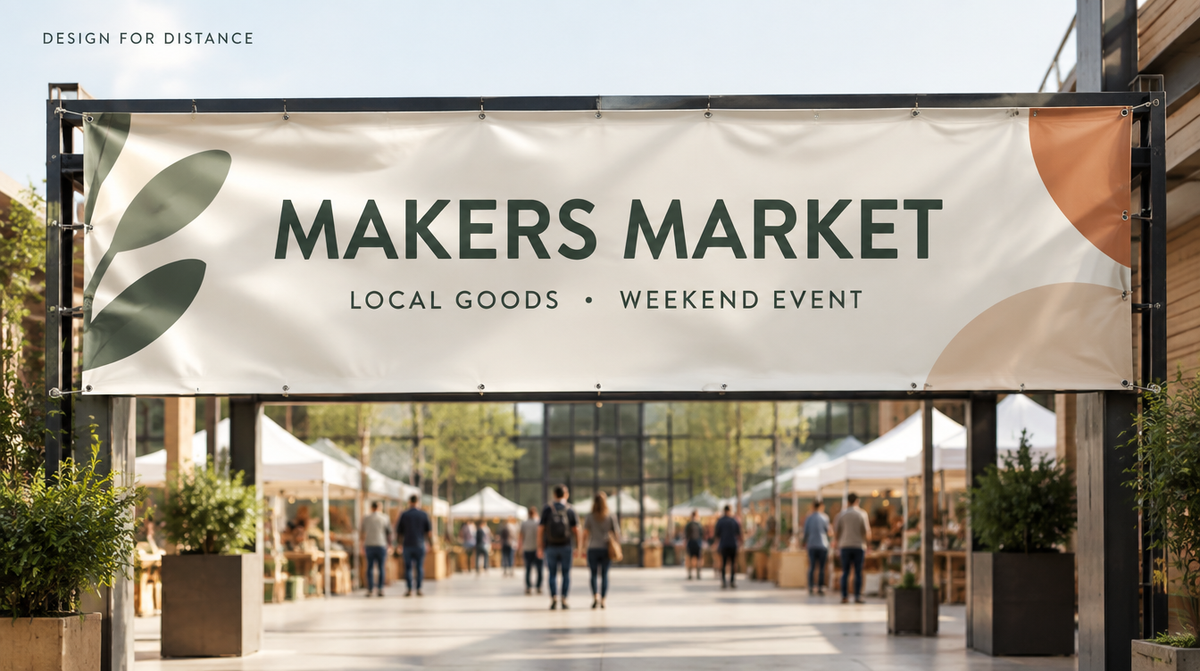
A booth banner might lead with the business name and a plain description of what you sell, while an entrance banner might lead with the event name and a direction because visitors need to find the place before reading its story.
Choose type that remains readable at the intended viewing distance. Avoid shrinking a long paragraph into a large format simply because the canvas has room.
Create a smaller preview at a proportional viewing distance to assess hierarchy. Treat it as a layout check, not a substitute for inspecting the finished installation.
Leave space for finishing
Use the supplier's current template and finishing guidance. Hems, holes, edges, and attachment areas can affect the safe location of important artwork.
The Signs.com banner-file guide offers a general preparation reference. Confirm Vulgrco's actual upload and finishing requirements for your order.
Keep names, dates, and logos away from restricted areas. Background artwork can extend differently if the template permits.
Check whether selected finishing changes the usable design area before approving the proof.
Check a scaled proof
Review dimensions, spelling, date, logo version, image detail, and safe areas.
Use the best original artwork source. A small image that looked acceptable on a phone may not support a large printed reproduction.
If color accuracy is critical, discuss the available proofing or sample process. A home print does not establish the final color on vinyl.
Keep the approved file and attachment plan together. Inspect the installation and follow the supplied use and care limits rather than assuming a banner can remain in every weather condition.
FAQs
How do I choose a banner size?
Measure the display space and consider attachment points, viewing distance, and available product options. Choose a size that supports a readable message and a practical installation. Do not select solely from the amount of information you want to include.
Can I use a small logo image on a large banner?
Check its actual pixel dimensions or use a suitable original vector file. Enlargement can reveal missing detail in a small raster image. Review the artwork at the intended printed size and follow the supplier's current file requirements.
Where should text sit near grommets or hems?
Follow the current template's safe areas and finishing guidance. Keep essential content clear of locations that may be folded, covered, or interrupted. Do not assume another supplier's margin measurements apply to the selected Vulgrco banner.
Are mounting accessories included?
Confirm the current options and order summary. A product photo can show an installation without establishing that all hardware is supplied. Plan compatible mounting and the location's requirements before the banner arrives.